

Where to find it: Main → OTO Modules — Open in OTO ↗
Three things set what you get
Packaging is not one dial. Three separate things combine, and confusing them is the usual reason a quote looks wrong.The five plans
Prices here are the Saudi list price for the smallest volume bandWithin a paid plan, the price rises with the volume band you choose — Starter at 1,000 own-rate shipments a month costs more than Starter at 50.OTO is priced per region: SAR in Saudi Arabia, AED in the UAE, TRY in Türkiye. The pricing page carries the current figure for every band and every currency.
What each plan adds
In the dashboard a plan is presented as a set of modules. Each module belongs to a tier, and every tier up to and including your own is switched on — so Scale gets the Free, Starter and Scale modules, and so on.Two carrier numbers, and they measure different thingsMore than 15 is the number of carriers OTO holds its own contracts with, and whose discounted rates you can ship on without negotiating anything.460+ is the number of carriers OTO can connect to worldwide using a contract you hold. See Carriers.
Limits that change by plan
Individual API endpoints are gated the same way. The REST API reference carries a plan badge on every endpoint naming the lowest plan that includes it.
Add-ons
Two capabilities sit outside the plan ladder, because a merchant on any plan might need them and most do not. Both come in a Basic and a Plus tier, and both require a minimum plan underneath.OTO PACK — running a warehouse
Basic is available from Starter at SAR 499 a month; Plus from Scale at SAR 2,999 a month. This is what switches on the Warehouse Management and the bin-level parts of Inventory Management.OTO FLEX — running your own fleet
Basic is available from Starter at no extra charge; Plus from Scale, priced on enquiry. See OTO FLEX.Custom integrations
Work OTO does for one account — advanced ERP automation, POS integration, external WMS integration and sync, driver app integration, custom tracking and alerts — is quoted as a one-time fee and available from Pro. See ERP systems for how a bespoke connector is built.Billing
Managing your plan in OTO
The plan you are on is shown at the foot of the sidebar. Selecting it opens Pricing, which has two tabs.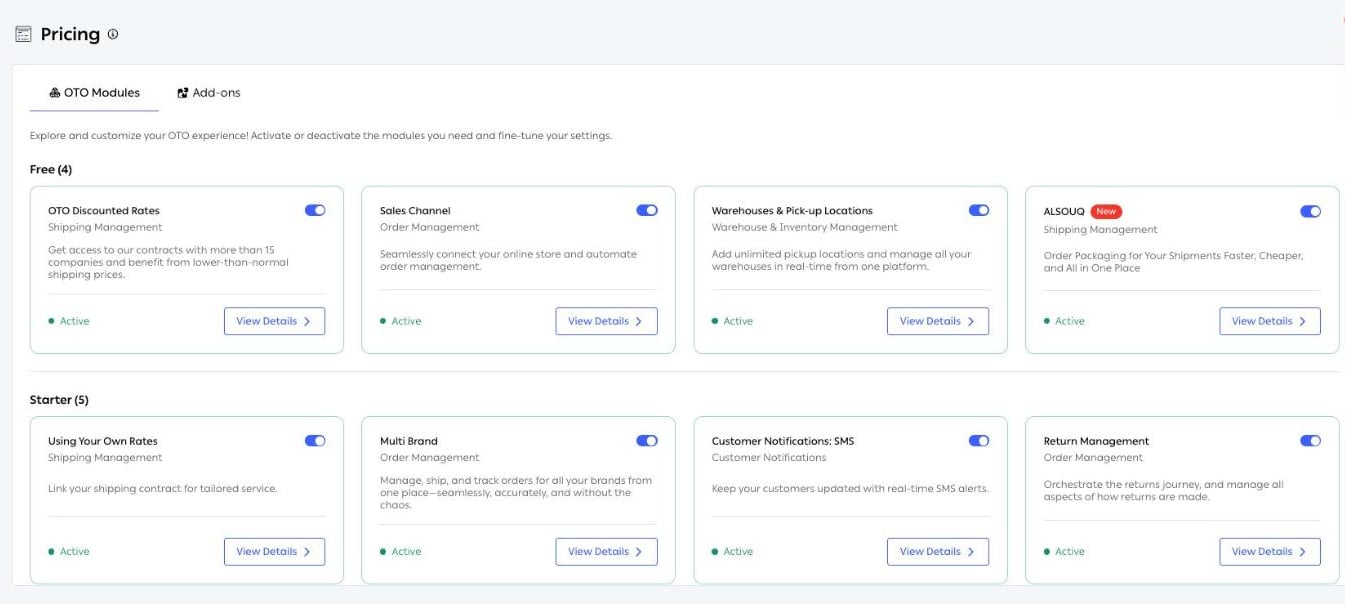
Fig. 1 — The OTO Modules tab. Modules are grouped by the tier that includes them, each card showing its area, what it does, whether it is Active, and a toggle. The group matching your own plan is marked Current Plan.
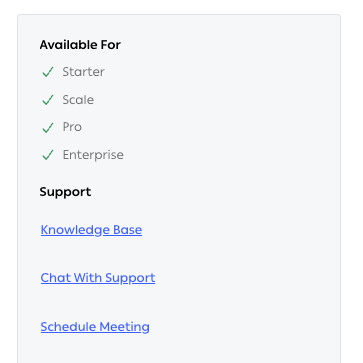
Fig. 2 — Every module page carries an Available For panel. This is the quickest way to answer “which plan do I need for this?” without reading the whole comparison.
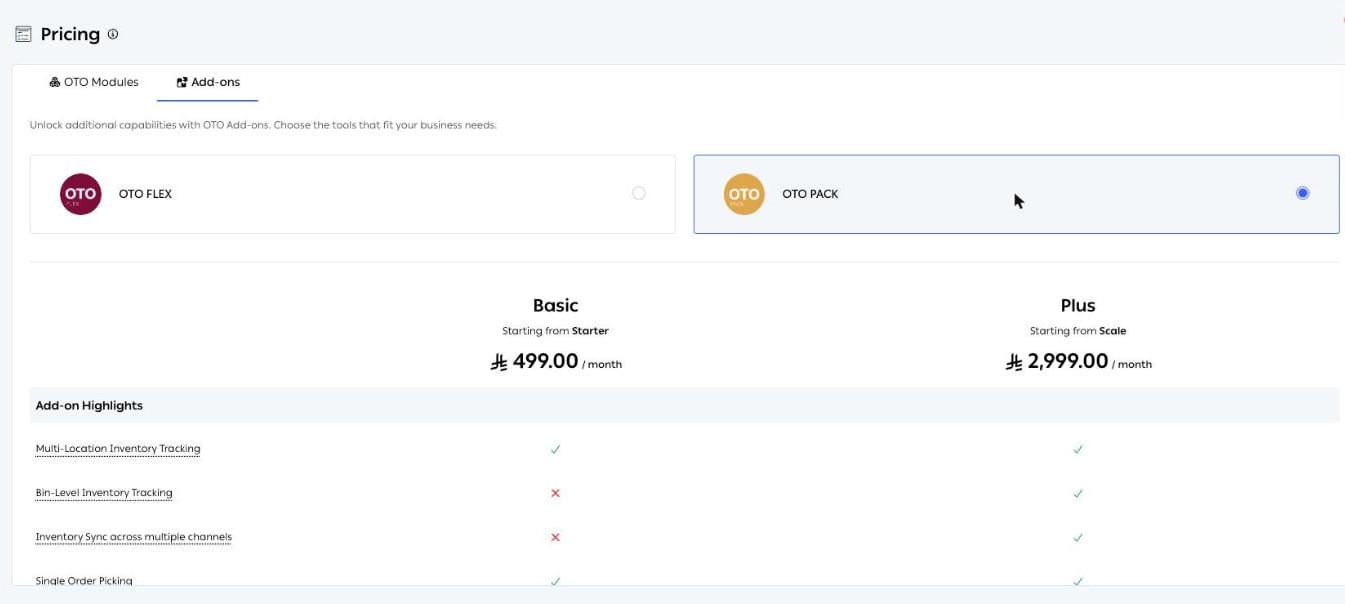
Fig. 3 — The Add-ons tab. Choosing OTO FLEX or OTO PACK at the top swaps the comparison below it, so you can see what each tier covers before buying.
Related
- REST API reference — the plan each endpoint requires.
- Users, roles & permissions — what the user limit buys you.
- Carriers — your own contracts against OTO’s rates.
- Quick start — getting the account set up once the plan is chosen.