

Where to find it: Main → Integrations → Sales Channels — Open in OTO ↗
The problem it solves
Almost nobody sells in one place any more. A storefront, then a marketplace, then a second storefront for a different market, then a food-delivery app for the branches. Each one has its own order format, its own status vocabulary, its own idea of what inventory is, and its own admin panel. Run without integration, that becomes a person with eight browser tabs re-typing orders into a shipping system and then typing the tracking number back. It is slow, it is wrong often enough to matter, and it gets worse with every channel you add — which means the operational cost of a new channel is what stops you opening one. The point of this module is that adding a channel should be a configuration step, not a project.Integration means four streams, not one
“Connected to Shopify” is usually taken to mean orders arrive. That is one of four things that have to move, and the other three are where integrations normally fall short.What you can connect to
The channel catalog carries more than 40 prebuilt integrations, and they are not all the same kind of thing.Regional depth is the unusual partEvery shipping platform integrates with Shopify. The list above also covers the platforms a Riyadh or Istanbul merchant is more likely to be running — which is the difference between an integration project and a fifteen-minute install.
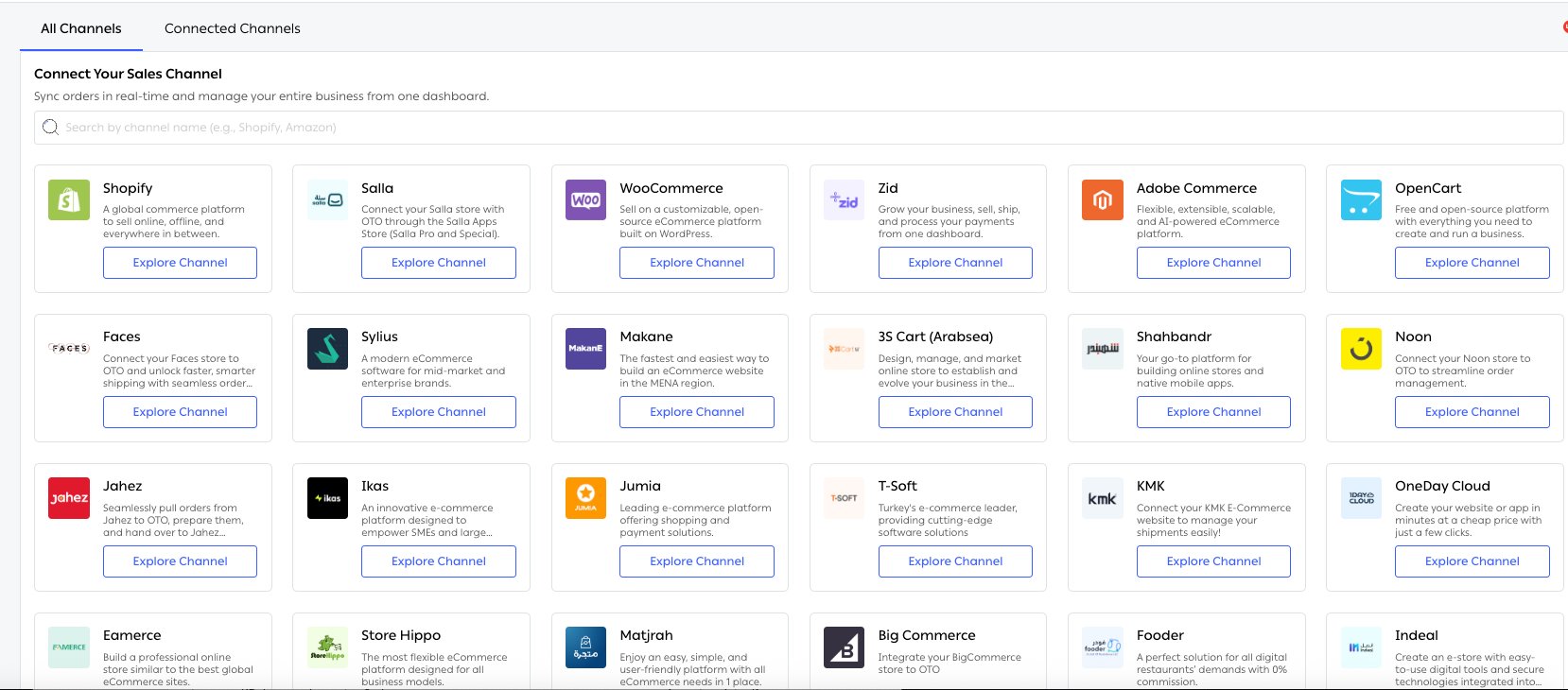
Fig. 1 — The catalog. Shopify and Adobe Commerce sit beside Salla, Zid, Makane and Shahbandr — which is the part a merchant in Riyadh or Istanbul cares about.
Where it lives
Who runs it
Functions in this module
Channel sync
3 features
Status and tracking updates
2 features
Checkout API
2 features
What it connects to
- Order sync — what happens to an order once it arrives.
- Inventory sync — the stock figures going the other way.
- Hubs Management — the locations a channel’s stock is mapped to.
- Branded pages — where a tracking link points.