

Where to find it: OTO FLEX → Orders — Open in OTO ↗
The problem it solves
Plenty of merchants end up with both: a fleet for the dense city center or the same-day promise, and carriers for everything else. Run as two systems that is two dispatch screens, two sets of tracking, two definitions of “delivered” and no way to ask which of the two was cheaper on a given route last month. OTO FLEX puts the fleet inside the platform as another kind of delivery capacity. A driver is configured like a carrier connection, appears in feasibility and automation rules like a carrier, and produces the same statuses and the same tracking page the customer sees for a carrier shipment.OTO is softwareThe drivers are the merchant’s own, employed or contracted by them. OTO assigns, routes, tracks and settles — it does not carry parcels and does not supply drivers.
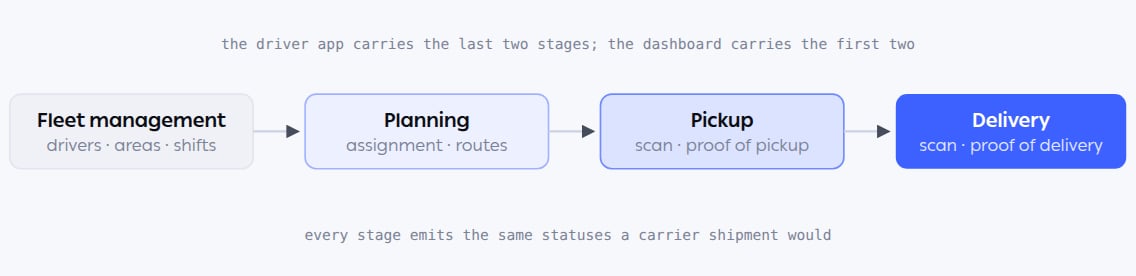
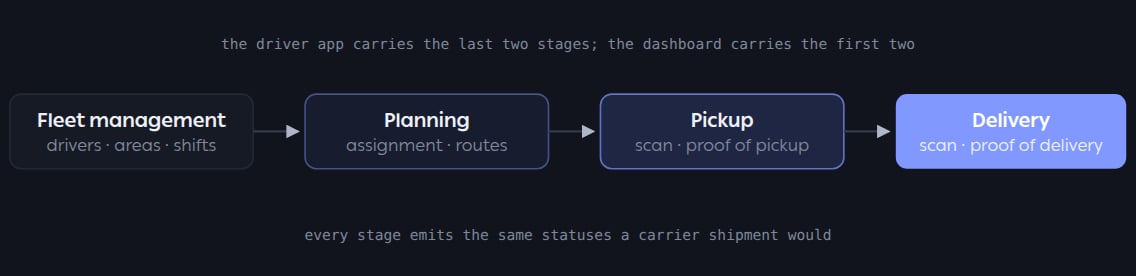
Two surfaces, one flow. Fleet and planning are configured in the dashboard; pickup and delivery happen in the driver’s hands, in the OTO Flex app.
Where it lives
The module has two screens in the sidebar under OTO FLEX, which is less than its thirty-one features suggest — because most of the work happens either in the driver’s app or inside rules that live elsewhere.
Three other places matter and are easy to miss: Areas (Settings → Advanced → Areas) is where a driver is tied to a geography; Shipping Automation is where the fleet competes with carriers; and the OTO Flex app is where a driver actually works.
Who runs it
Functions in this module
Fleet Management
10 features
Planning
7 features
Pickup
5 features
Delivery
9 features
What it connects to
- Shipping automation — the rules that decide fleet versus carrier, order by order.
- Order routing — its driver availability location filter can route an order to the store that has someone free.
- Customer Notification — the live map the customer watches during a fleet delivery.
- Return Management — drivers collect returns from customers as well as delivering to them.