

What this function covers
Three tabs, in the order you use them: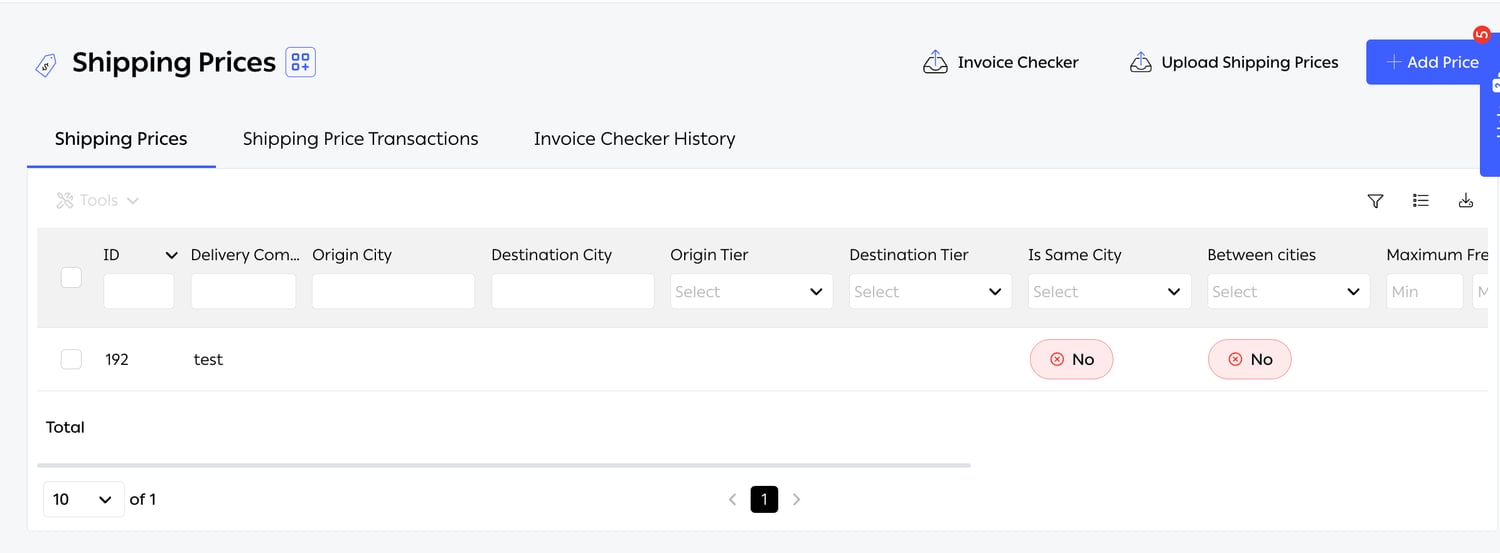
Fig. 1 — At Settings → Advanced → Shipping Prices. Every scoping column filters, and a Total row sits under the list.
Recording a contract
A contract is entered as a set of price rows. Each row says under these circumstances, this carrier charges this much, and a real contract usually needs several. The form is explicit about why: “Please select the conditions in accordance with the terms of your contract for the specified delivery price being added.”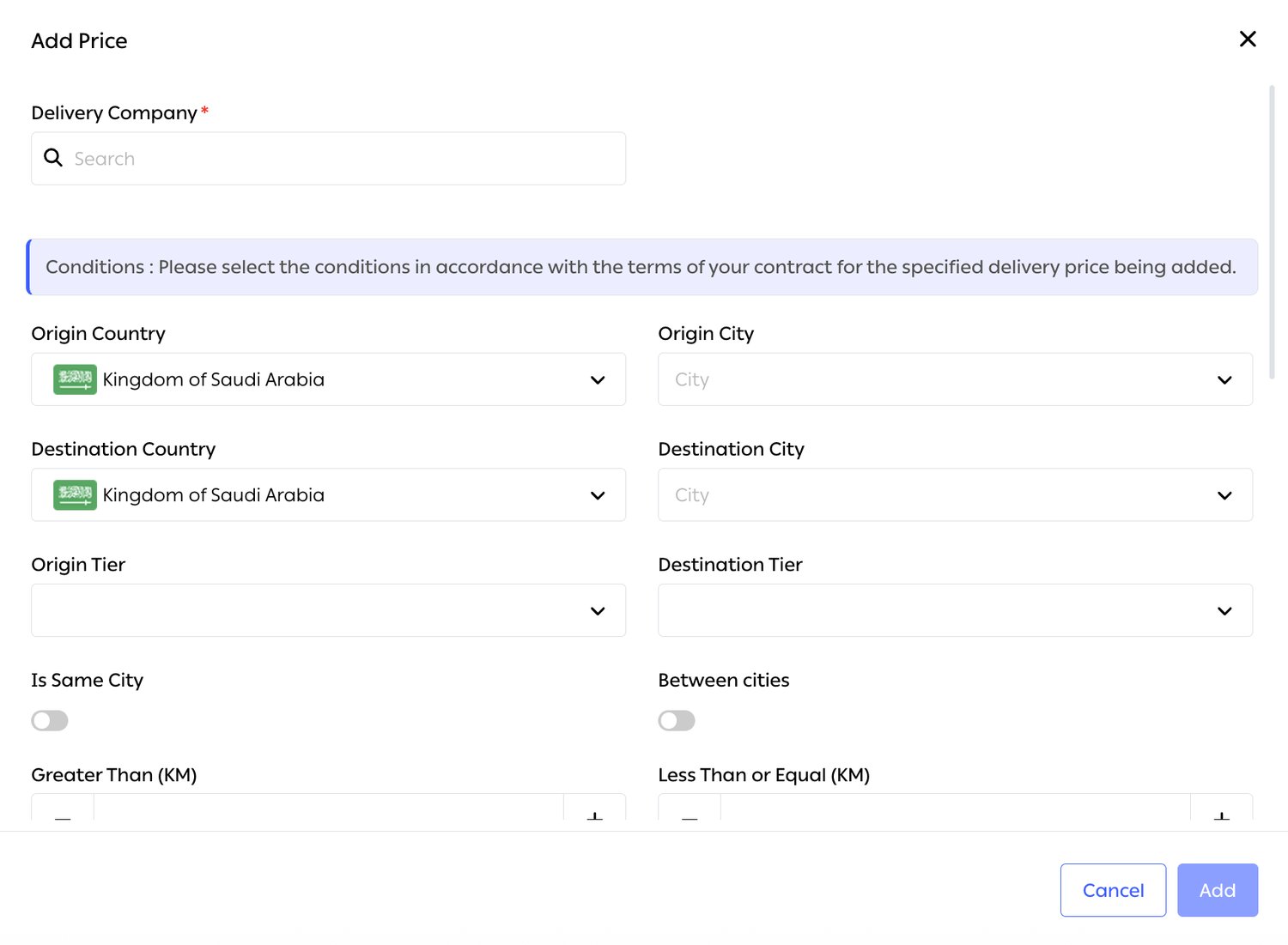
Fig. 2 — Note that Is Same City and Between cities are toggles rather than values — a row either applies to that case or it does not.
Scoping a row
Seven dimensions are available, and they are what makes the model fit however a particular carrier chose to write their rate card:What the row charges
Expected cost per shipment
The Shipping Price Transactions tab is the running record — in the product’s own words, it exists to “track shipments made using your shipping contracts and review their costs automatically.” One line per shipment: Order ID, Delivery Company, Shipment Number, Transaction Date, Transaction Type, Transaction Status, Amount, Description and Order Status. Every column filters, so a month on one carrier is a couple of clicks, and the list exports.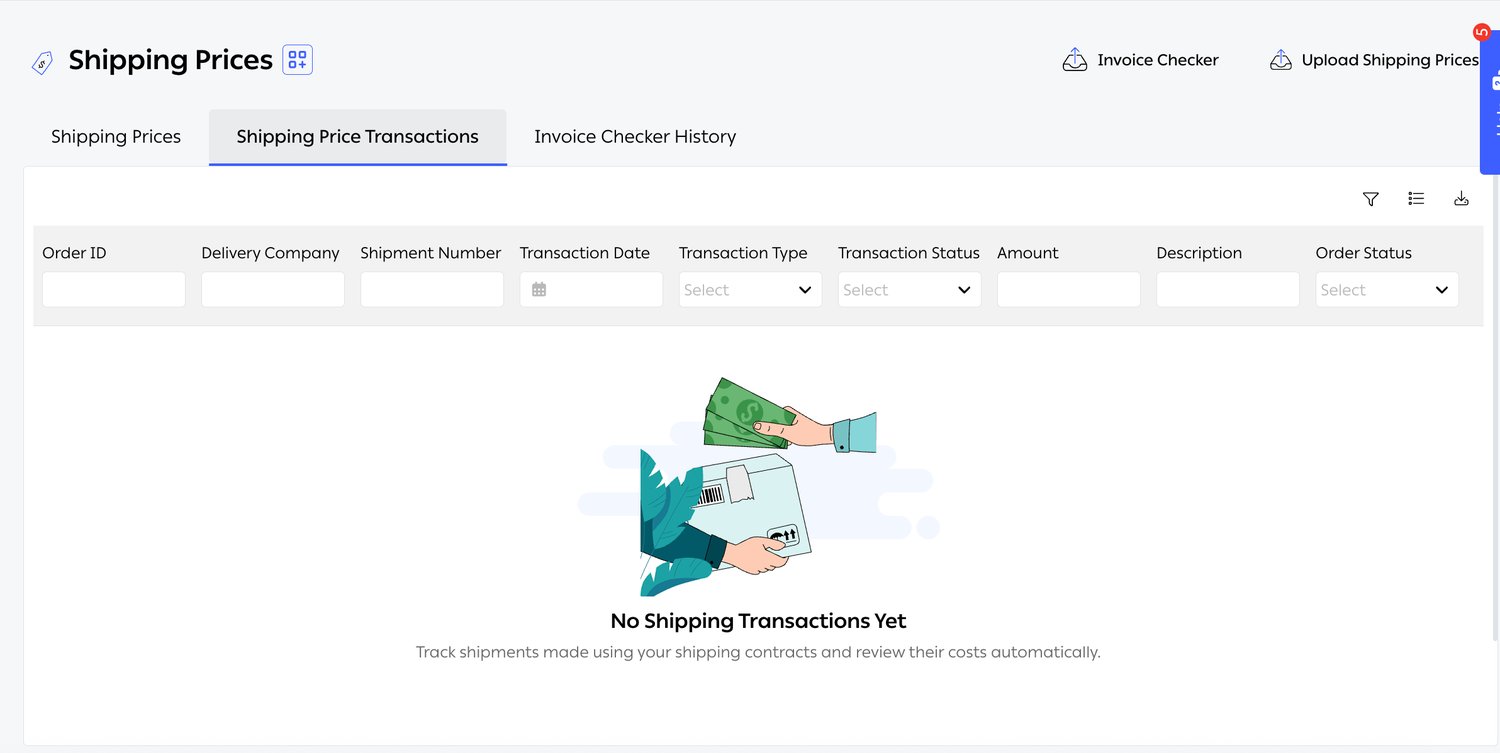
Fig. 3 — This is the expected cost derived from your contract rows — not the carrier's bill. The two meeting is the point of the next section.
Chargeable weight
Carriers bill on chargeable weight — the greater of actual weight and volumetric weight, where volumetric is the parcel’s dimensions divided by the carrier’s own divisor (configured per connection under Advanced Settings). A light, bulky parcel is billed as though it were heavy. Both figures are shown side by side at shipment creation, so the choice is informed before anything is booked. OTO then keeps the weight you recorded and the carrier’s final billable weight as separate values rather than overwriting one with the other — which is what makes a weight dispute answerable: you can see what you declared, what they billed, and the gap.Checking the carrier’s invoice
Invoice Checker takes the invoice the carrier sent you and compares it, line by line, against what OTO expected.- Download Template — a spreadsheet with the columns the checker expects.
- Fill it with the carrier’s invoice lines.
- Upload it, with an optional Description — the placeholder says “Add a note for your team”, which is the right use for it: which carrier, which month, who is chasing it.
- OTO produces a comparison file, available from the Data Import page and listed under Invoice Checker History.
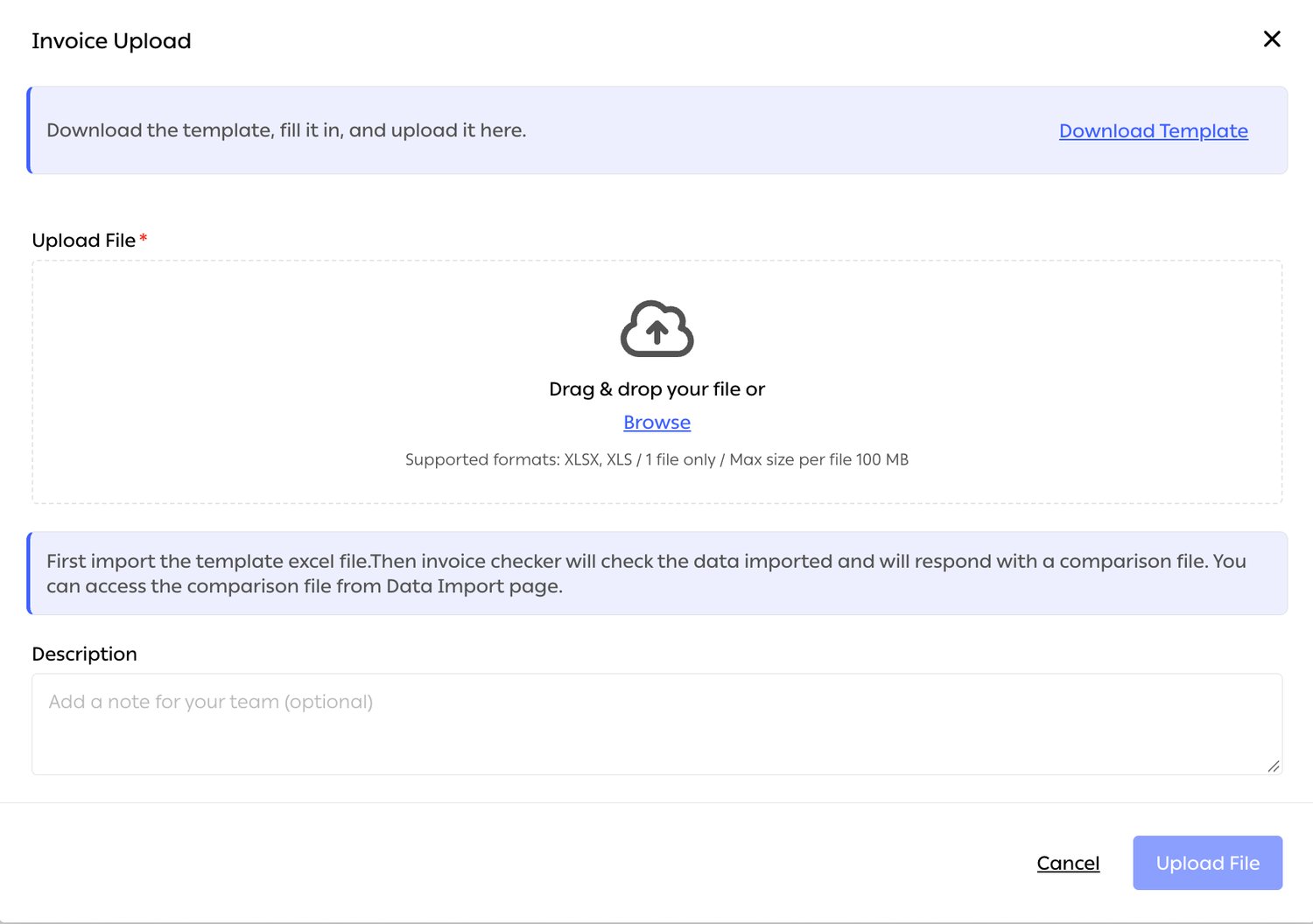
Fig. 4 — The second banner states the flow plainly: the checker responds with a comparison file, collected from the Data Import page.
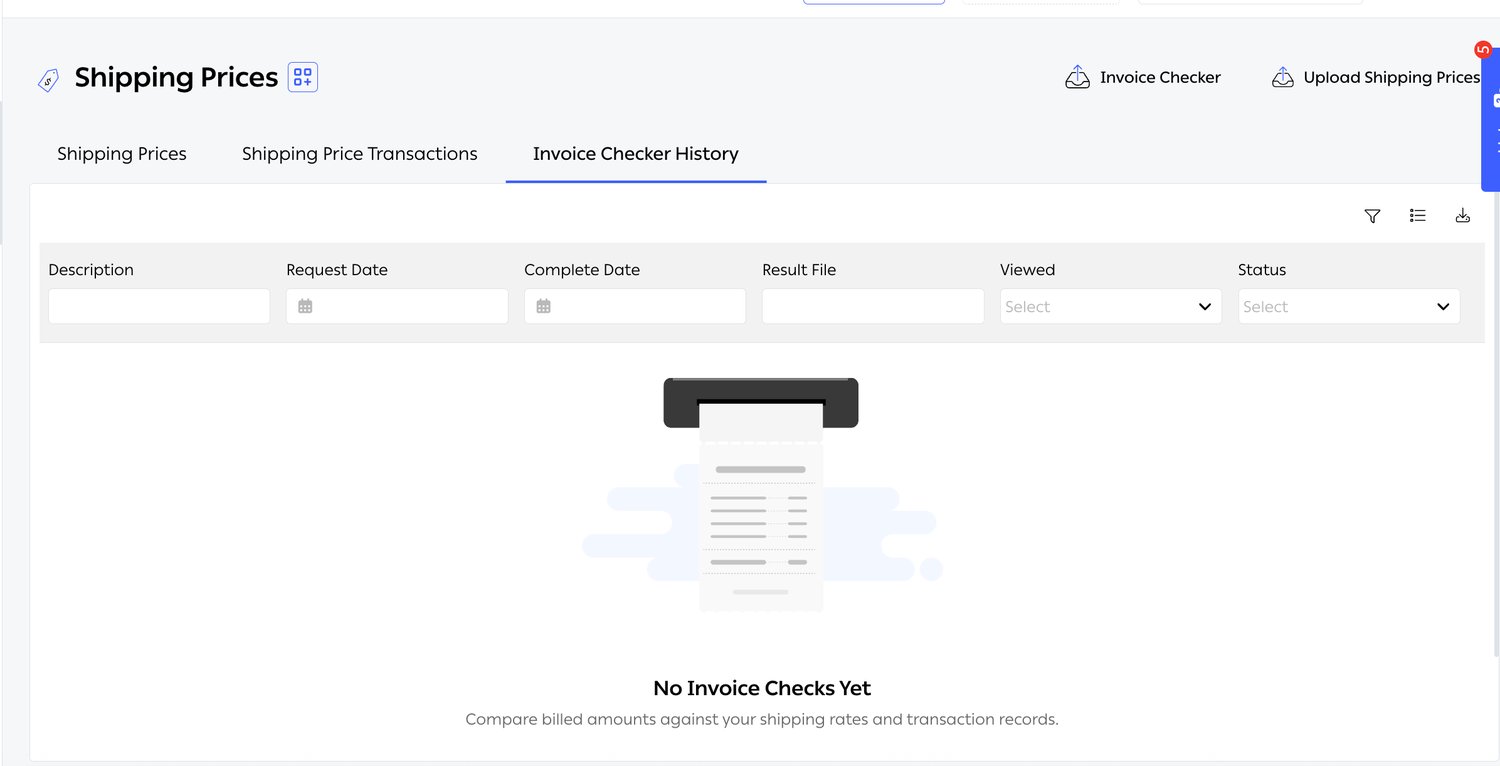
Fig. 5 — Request Date and Complete Date are separate columns because the check runs in the background — upload, carry on, collect the result.
Reading the comparison
The gaps worth looking for, in rough order of how often they appear:Cash on delivery
COD runs on the same principle: money the carrier collected on your behalf has to be matched against money they actually remitted. Settings → Payments → COD Wallet holds the balance, summarised in three figures: Upcoming Transfer with its Expected Transfer date, Current Balance, and Amount Withdrawn. As the product puts it: “Your COD Wallet represents the cash collected from customers for cash-on-delivery shipments, which will be transferred to your bank account at company settings.”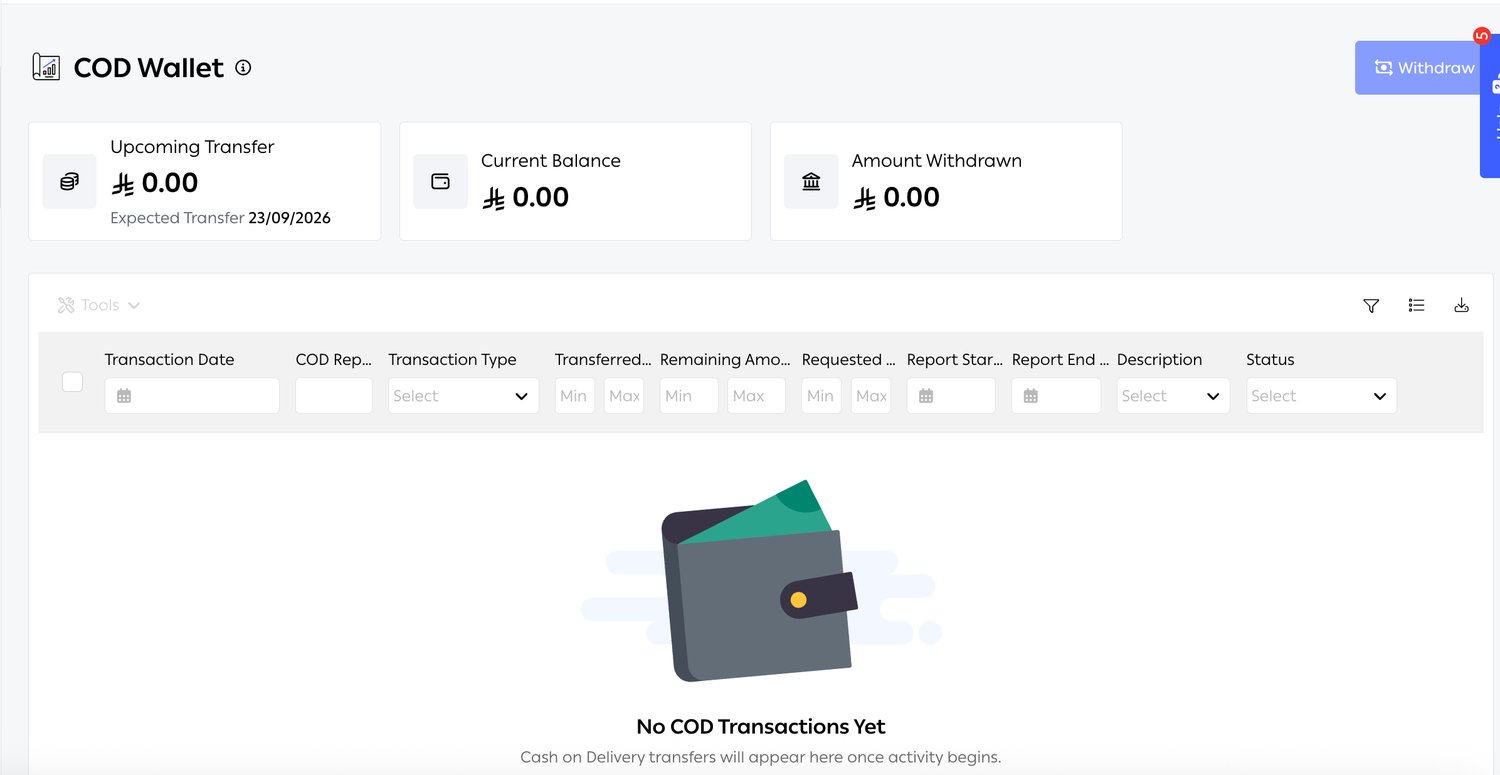
Fig. 6 — The Expected Transfer date under Upcoming Transfer is the settlement schedule made concrete — useful for a cash-flow forecast, not just a reconciliation.
Multiple currencies
A merchant shipping across Saudi Arabia, the UAE and Türkiye holds contracts in more than one currency, and the orders themselves may be priced in another again. Amounts are held in the currency they occurred in rather than converted on entry, so a comparison is made like for like — the COD condition in shipping automation is even labelled COD Value (Currency Type of Order) for exactly this reason.Related
- Carrier integration — where the volumetric divisor and the connection itself are configured.
- Shipping automation — Least Cost Selection reads the prices entered here, so the two are only as good as each other.
- Billing, Payments & COD — wallet, settlement and payment methods.
- Return Management — where the return fees on your price rows get incurred.