

Where to find it: OTO FLEX → Configuration — Open in OTO ↗
The driver register
OTO FLEX → Configuration → Drivers lists the fleet. Add Driver registers one; Driver Upload imports a batch from a spreadsheet, which is how a fleet of any size gets set up. Map View shows where everyone is right now, and OTO Flex App is the download link to hand a new driver.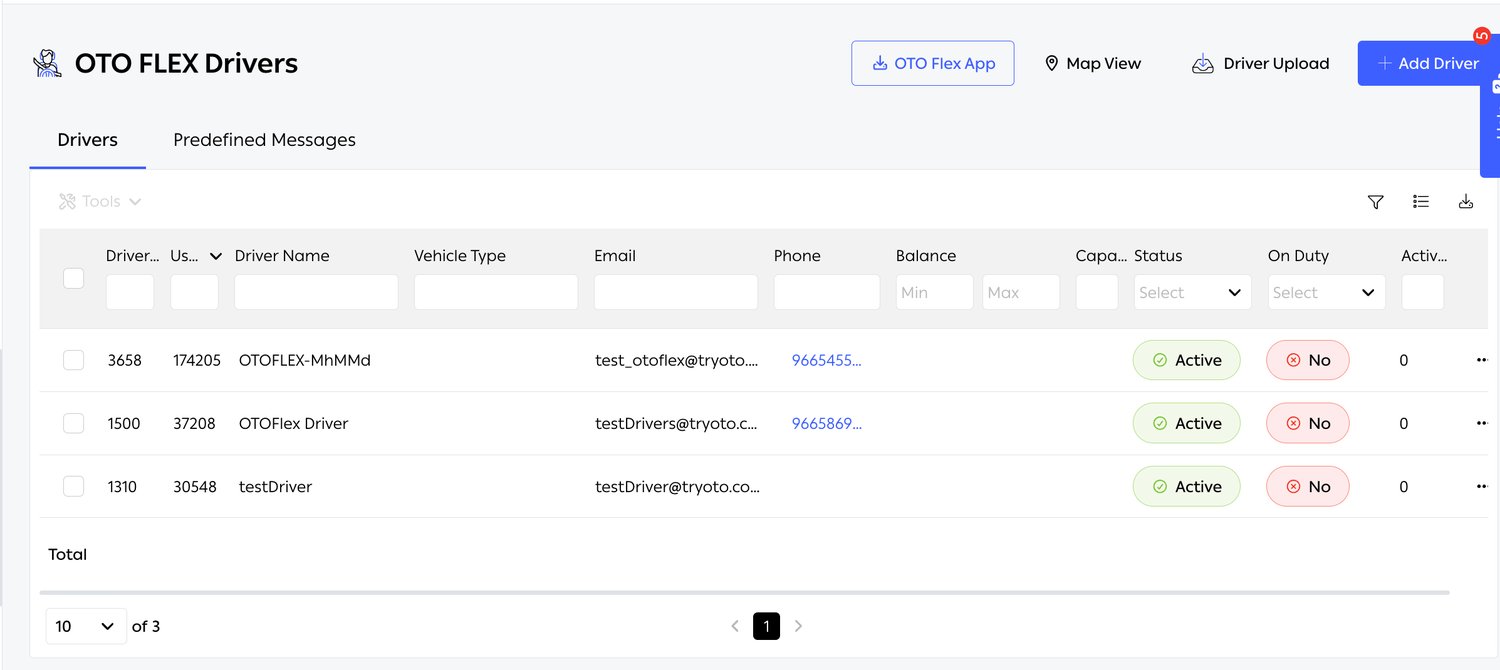
Fig. 1 — Three drivers, all Active but none On Duty — which is exactly the state in which an operator reports that “assignment is broken”.
Registering a driver
Add Driver takes rather more than a name and a phone number, and each field earns its place in the assignment engine: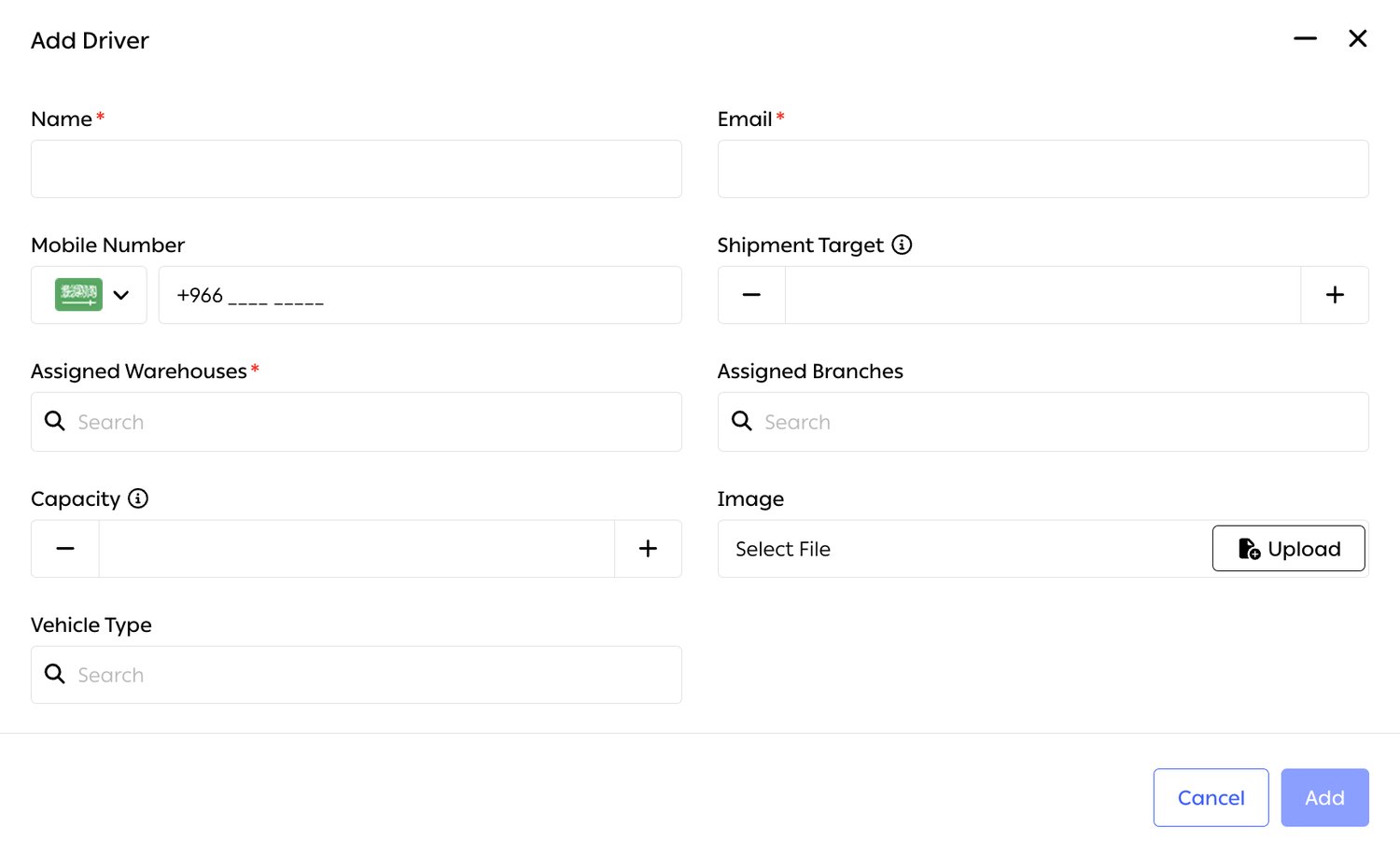
Fig. 2 — Name, Email and Assigned Warehouses are required; branches are optional, which tells you the warehouse is the anchor.
Unlimited drivers
There is no cap on the number of drivers a fleet can hold, which matters for two cases the platform is explicitly built for: seasonal peaks, where a fleet doubles for a month, and gig models, where the roster turns over continuously.Areas, capacity and priority
A driver is tied to geography through Areas, at Settings → Advanced → Areas. The Area Form has two tabs — Area Info and Location — and three of its fields belong to this module.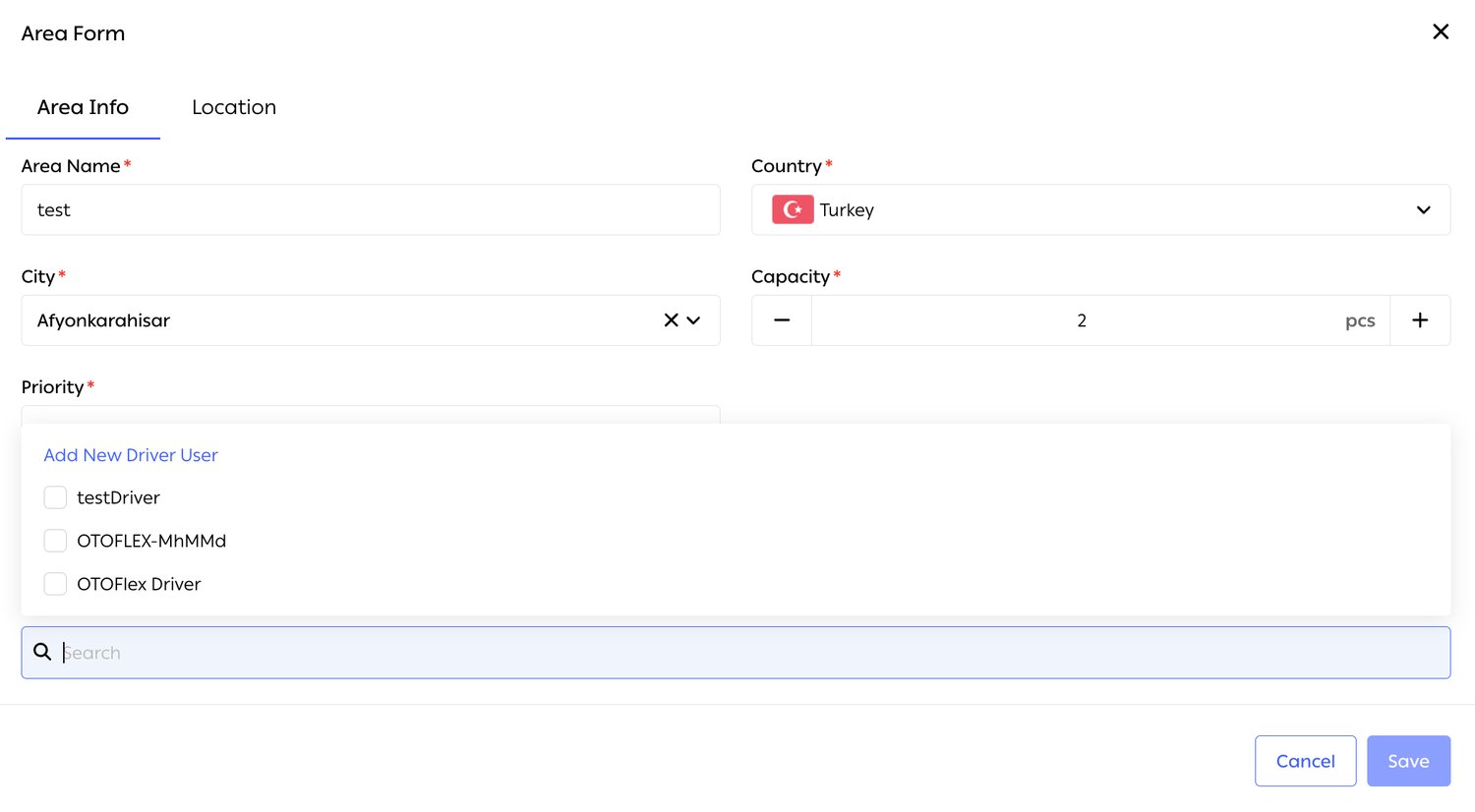
Fig. 3 — The driver picker is a multi-select with a search box and an Add New Driver User link — a driver can be created without leaving the area you are defining.
The Location tab is where the polygon itself is drawn on a map, or pasted in as coordinate pairs.
Because areas are also used by delivery-area tagging and by shipping automation’s If destination is in these Areas condition, one polygon can serve the fleet and the rules at once — draw it once, use it everywhere.
Three capacities, three questionsThey stack, and they answer different questions. Driver capacity: how many orders can this person hold at once? Area capacity: how many can this geography absorb in a day? Slot capacity: how many can this time window take? A delivery can be blocked by any one of them.
Driver teams
Drivers can be grouped into teams and the team used as the unit of assignment, rather than naming individuals in every rule. A team survives people joining and leaving; a rule listing five drivers by name does not.Shifts and working hours
Shifts determine when a driver is available, and pair with the delivery slots configured in Order fulfillment: a slot the fleet is meant to serve needs someone on shift to serve it. The On Duty column on the driver list is the live expression of this.Live tracking
Map View shows the fleet in real time, and tracking continues when the app is closed using background location. That is the difference between knowing where the fleet is and knowing where the fleet last opened the app.Tell your driversBackground location tracking is a privacy matter and, in several markets, a disclosure requirement. It should be in the driver’s contract and set up in the app’s permissions when they are onboarded, not discovered later.
Vehicle capacity
Capacity is defined per vehicle, and the planner respects it when building routes — a motorcycle is not given a route it cannot physically carry. Combined with Vehicle Type as a feasibility condition, this is how bulky orders are kept away from the wrong part of the fleet.Cash settlement
Each driver carries a Balance: COD cash collected and not yet handed in. Settling reduces it. Read as a column across the fleet, it is a live picture of how much of your revenue is currently in vehicles rather than in a bank.Custom fleet naming
The Fleet Name, set in fleet settings, is what the customer sees instead of a carrier name — on the tracking page and in notifications. A merchant delivering with their own riders can present it as their own service rather than as a third party, which for many brands is the reason they run a fleet at all.Performance and incentives
Driver performance is measured over the same dimensions the platform uses for carriers — completion, timeliness, customer rating — against each driver’s Shipment Target. That combination is what makes an incentive scheme possible to run on evidence rather than impression.Route history
Completed routes are retained, so a delivery can be reconstructed after the fact: where the driver went, in what order, and when. This is the answer to a customer disputing a delivery and to a driver disputing a route.Related
- Planning — what the platform does with everything configured here.
- Shipping automation — where the fleet wins or loses an order against a carrier.
- Billing, Payments & COD — where driver-collected cash ends up.